




Construction Site Internet and Trailer Connectivity in Deerfield Beach, Boca Raton and Broward County
If you need reliable internet for a construction trailer in South Florida, the connection itself is rarely the hard part. The hard part is getting the trailer working on day one, keeping it secure, and making sure the superintendent can open the current drawings without driving back to the office.
QuestingHound plans and supports jobsite connectivity for contractors across Broward and Palm Beach counties. We handle the connection, the trailer network, the field devices and the secure link back to your office systems, then take it all down cleanly at closeout.
Why QuestingHound for Jobsite Connectivity
- Current construction clients, so we know what a trailer, a yard and a field crew actually need
- Connectivity matched to the site: cellular, satellite or a fixed line when the project runs long enough to justify one
- Secure access to Procore, Bluebeam, Sage 300 CRE and Foundation from the field
- Based in Deerfield Beach, with founder John Boden still involved in client accounts
- Trilingual support (English, Spanish, Portuguese) for office staff and field crews
Why Jobsite Internet Keeps Failing Contractors
Most trailer internet problems come from how the connection was set up, not from the site itself. These are the issues we see most often:
- Waiting weeks for a wired line. By the time it is installed, the project is well underway.
- One hotspot for the whole trailer. It slows to a crawl as soon as someone opens a large plan set or joins a video call.
- No backup connection. When the only connection drops, so do timesheets, RFIs and daily logs.
- Wi-Fi with the password taped to the wall. Subcontractors, visitors and anyone parked nearby share a network with your company laptops.
- Field devices nobody manages. Tablets run old app versions, have no screen lock and cannot be wiped if they walk off the site.
- Equipment lost at closeout. Routers, cameras and access points never get returned, reset or tracked.
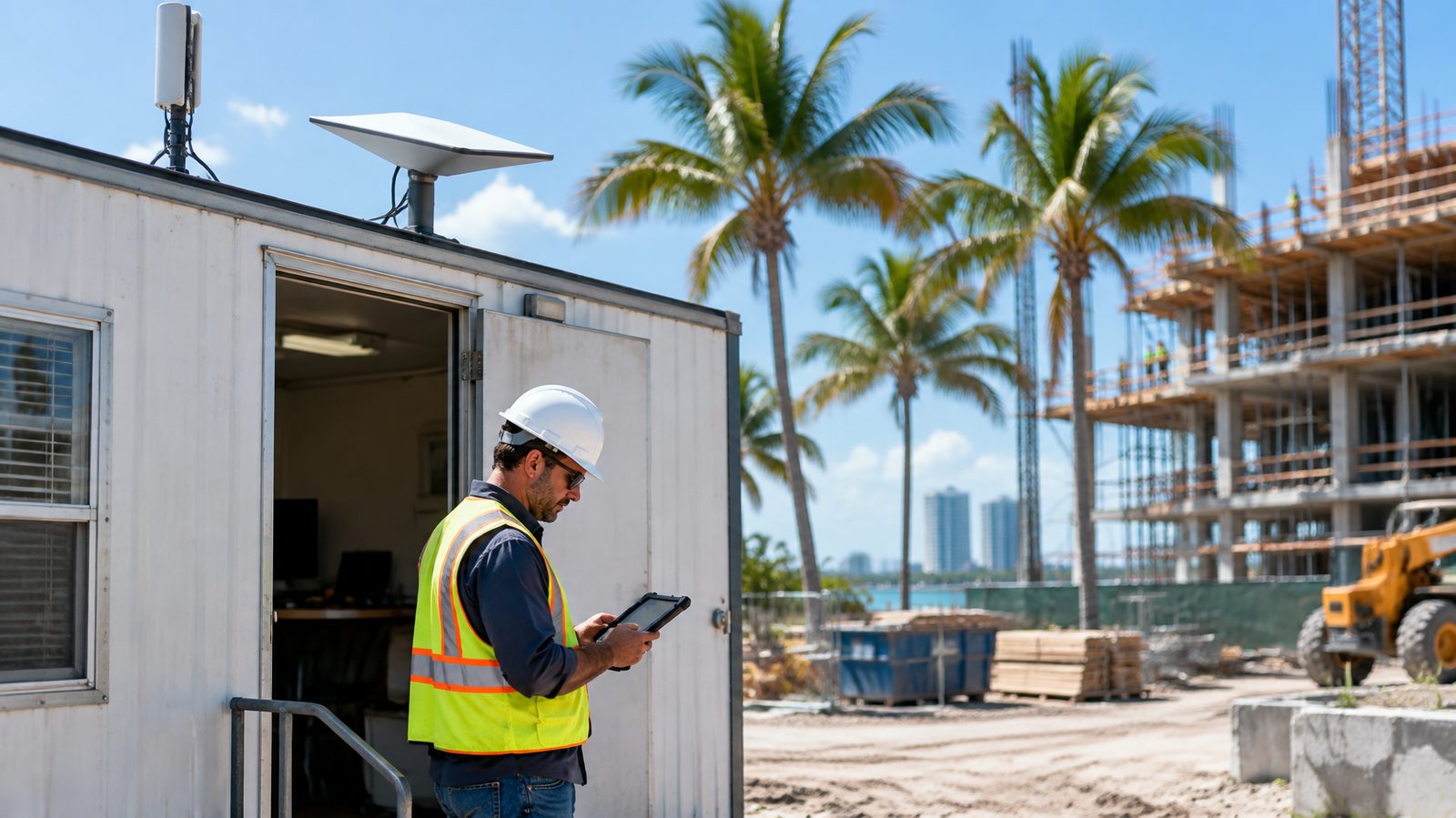
Our Jobsite Connectivity Services
Site Assessment and Planning
We start with the project: how long it runs, how many people work out of the trailer, which software they use and what coverage looks like at the address. That tells us whether cellular, satellite or a fixed line makes sense, and what the backup should be.
Planning happens before mobilization, so connectivity is part of the site setup rather than something the superintendent sorts out in week two.
Trailer Setup From Day One
Trailer equipment is configured before it arrives on site: router, firewall, Wi-Fi and printing. Laptops, plotters and printers are already pointed where they need to be.
Where the site allows it, we combine two connections, such as cellular from two carriers or cellular plus satellite, so the trailer stays online when one of them drops.
Secure Access Back to the Office
Field staff need the same files and systems as the office. We set up secure access to project folders, Microsoft 365 and accounting platforms protected with multi-factor authentication, without exposing anything directly to the internet.
Separate Wi-Fi networks for your staff and for subcontractors or guests keep company laptops off the shared network. If your team works in Sage 300 CRE or Foundation from the field, our Sage 300 CRE and Foundation IT support covers the accounting side of that access.
Field Devices and Jobsite Security
Tablets, laptops and phones are managed centrally, so apps, updates and security settings stay consistent across every site. A lost or stolen device can be locked or wiped remotely.
Jobsite cameras and access control can share the trailer connection on their own segmented network. That keeps a compromised camera from becoming a route into your office systems.
Monitoring, Support and Closeout
Trailer connections are monitored, so a failing connection or a data cap problem is visible to us before it turns into a call from the field. Office and jobsite are supported by the same team.
At closeout, equipment is collected, wiped and logged, and data plans are cancelled or moved to the next project.
Hurricane Season on the Jobsite
In South Florida, every jobsite plan needs a storm plan. Florida law already requires the contractor in charge of a site to secure cranes and hoisting equipment no later than 24 hours before a hurricane is expected to hit (section 489.1132, Florida Statutes), and trailer IT equipment belongs on the same checklist. Before a storm, trailer equipment is backed up, powered down and secured or removed, and project files are confirmed to be in the cloud rather than on a trailer laptop.
After the storm, we help get the site back online as soon as it is safe to return. Our hurricane season IT preparation guide covers the office side of the same plan.
What the Data Says
Jobsite security is not improving. In Pro-Vigil's 2026 State of Physical Security report, reported by Building Design + Construction, 89% of construction leaders said jobsite security incidents rose or held steady in 2025, and 20% said those incidents contributed to project delays.
The field is also taking on more software. Wipfli's 2026 State of Technology in the Construction Industry report found that 94% of construction and real estate leaders plan to add or replace at least one software tool in the next 12 to 24 months. Each new field app is one more thing that stops working when the trailer goes offline.
Why South Florida Contractors Choose QuestingHound
We already support construction companies. Our team understands why a dropped connection on a pour day or the afternoon a pay application is due is more than an inconvenience.
We are based in Deerfield Beach, close to jobsites across Broward and Palm Beach counties. When a trailer needs hands-on help, someone can get there.
Jobsite connectivity is part of our wider IT support for construction companies, so the trailer, the office and the software are supported by one team instead of three vendors pointing at each other. For how the field connects to Procore, Bluebeam and your accounting system, see our construction technology integration guide.
More Construction IT Resources
Frequently Asked Questions
How quickly can a jobsite trailer get online?
With notice before mobilization, we configure the equipment in advance so the trailer can go online the day it is set. Timing depends on carrier coverage at the address and equipment availability, which we confirm during planning.
Is satellite internet good enough for a construction trailer?
Current low-earth-orbit satellite service can handle typical trailer work, including video calls and cloud-based plan sets. It works best paired with a cellular backup, since nearby structures and heavy rain can affect it.
Can subcontractors use the trailer Wi-Fi?
Yes, on a separate guest network. They get internet access without being on the same network as your company laptops, printers and file shares.
Can our field team reach Sage 300 CRE or Foundation from the trailer?
Yes. We set up secure remote access with multi-factor authentication, so project managers can approve invoices and check job costs from the field without an exposed remote desktop connection.
What happens to the equipment when the project ends?
We collect it, wipe it, log it and either store it or set it up for the next site. Data plans are cancelled or transferred so you are not paying for a trailer that no longer exists.
Get Your Next Jobsite Connected
If your next project mobilizes soon, a short conversation now means the trailer works on day one instead of three weeks in.
We will look at how your current sites are connected, where the gaps are and what a better setup would cost, with no obligation.

John Boden
John brings over 25 years of hands-on IT experience to every client relationship and has personally overseen hundreds of technology assessments across Broward and Palm Beach County. His approach is built on accountability — when QuestingHound makes a mistake, they own it — and on the belief that trust is the foundation of any useful IT relationship.